Asobini
Scan your home, play inside
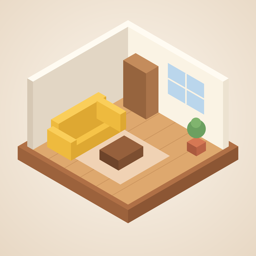
Walk around a room with your iPhone and Asobini turns it into a roofless miniature, with the walls, windows, doors and furniture where they really are. Move furniture around to try a new layout, look at the floor plan, or dress up a little figure and let it wander through your rooms.
Coming soon to the App Store.
What you can do
- Scan a room and get a 3D miniature with its furniture
- Drag furniture to try a new layout, and see how wide the walkways are
- View the floor plan with room areas, and export it as a PDF
- See sunlight coming through the windows for your room's direction and the time of day, and the current weather outside
- Walk a figure of yourself around, sit on chairs and lie down on the bed
Requirements
- iOS 18 or later
- Scanning needs an iPhone with a LiDAR Scanner (Pro and Pro Max models). On other iPhones you can try the sample room
FAQ
Where are my rooms stored?
Only on your iPhone. We don't send them to our servers. In fact, we don't run any. They are removed when you delete the app.
Can I move a room to another iPhone?
In the room list, touch and hold a room and choose 書き出す (Export) to save it as a file. On the other iPhone, open Asobini and choose 部屋のファイルを読み込む (Import a room file) from the … menu. The app's screens are in Japanese for now.
The weather doesn't show
Allow location access: Settings → Privacy & Security → Location Services → Asobini → While Using the App.
Contact
For bugs or requests, write to support@4px.jp. Please include your iPhone model and what happened on which screen.